
10 June 2026
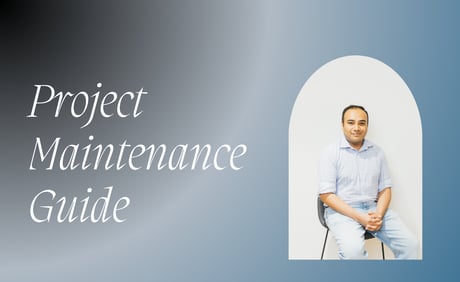
Author
Akash Shakya


Maintenance is not fixing things that break. It is preventing things from breaking. The best-maintained products have the fewest emergencies because the maintenance caught the problems before users did. (Related: the 3-week integration pattern.)

Why We Wrote This
Software maintenance is the most misunderstood cost in product ownership. Founders either ignore it (and pay 3 to 5x more in emergency fixes) or overpay for it (because they cannot evaluate what maintenance should include). This article provides a transparent view of what maintenance involves, what it costs, and how to manage it effectively.
Editorial note: Founder quotes throughout this article are composites drawn from multiple EB Pearls engagements. The numbers and decisions are real. Identifying details have been changed.
Introduction: Maintenance Is Not Optional
A software product is a living system. It runs on infrastructure that changes (cloud provider updates, OS patches). It depends on libraries that evolve (security patches, breaking changes). It serves users on devices and browsers that update (new iOS versions, new Chrome releases). It stores data that must be protected (compliance requirements, encryption standards). (See life after launch.)
Maintenance is the ongoing work that keeps the product compatible with its environment. Without it, the product degrades. Not immediately. Gradually. And then suddenly, when a critical dependency has a security vulnerability, or a new iOS release breaks the app, or the database hits a scaling limit that was visible in monitoring 3 months ago. (For detail, see what's included in development and ongoing costs.)
A 2020 study by Stripe and Harris Poll found that developers spend an average of 33% of their time on maintenance-related work, including dealing with technical debt and bad code. The study estimated this costs the global economy $300 billion annually. For individual products, the implication is clear: maintenance is a predictable, budgetable cost, not an unexpected expense.
The Six Maintenance Activities
Activity 1: Security Patching
What it is: Applying security updates to the product's dependencies, frameworks, and infrastructure components. SLA: critical vulnerabilities patched within 24 hours; high within 72 hours; medium within 1 week.
Why it matters: Unpatched vulnerabilities are the number one cause of security breaches in software products. The average time from vulnerability disclosure to exploit is 15 days. If your patching cycle is longer than 15 days, you are exposed.
Cost component: 20 to 30% of maintenance budget.
Activity 2: Dependency Management
What it is: Updating the libraries, frameworks, and third-party packages the product depends on. Monthly cycle for non-critical updates; immediate for security-related updates.
Why it matters: Dependencies that fall behind become increasingly expensive to update. Each major version jump introduces breaking changes. Staying within 1 major version of current keeps updates manageable. Falling 3 major versions behind can require a multi-week migration.
Cost component: 15 to 25% of maintenance budget.
Activity 3: Performance Monitoring
What it is: Continuous tracking of response times, error rates, database query performance, infrastructure utilisation, and user-facing performance metrics.
Why it matters: Performance degradation is gradual and invisible until it crosses a threshold that users notice. Monitoring catches degradation trends 2 to 4 weeks before they impact users. Without monitoring, the first alert is a user complaint or a spike in churn.
Cost component: 10 to 15% of maintenance budget.
Activity 4: Bug Fixes
What it is: Fixing defects reported by users or discovered through monitoring. Prioritised by severity: critical (product unusable), high (major feature broken), medium (minor feature broken), low (cosmetic or edge case).
Cost component: 15 to 25% of maintenance budget.
Activity 5: Compatibility Updates
What it is: Ensuring the product works correctly on new browser versions, mobile OS releases, and device types. Quarterly review cycle with immediate response for breaking changes. (See also why some projects stall.)
Cost component: 10 to 15% of maintenance budget.
Activity 6: Backup and Disaster Recovery Verification
What it is: Monthly verification that backups are complete, restorable, and within the defined recovery point objective (RPO). Quarterly disaster recovery drill. (See from prototype to product.)
Cost component: 5 to 10% of maintenance budget.
Maintenance Cost by Product Complexity
What Good Maintenance Looks Like: The Monthly Report
A good maintenance partner provides a monthly report that includes:
-
Uptime percentage for the month (target: 99.5%+)
-
Security patches applied: count, severity, and response time
-
Dependencies updated: count, version changes, and breaking changes handled
-
Bugs fixed: count by severity, average resolution time
-
Performance metrics: response time trends, error rate trends, infrastructure utilisation
-
Upcoming risks: end-of-life dependencies, scaling thresholds approaching, compliance deadlines
-
Recommendations: proactive improvements to prevent future issues
Frequently Asked Questions
Final Thought
Maintenance is the invisible work that keeps visible products running. The founders who budget for it build products that improve every month. The founders who skip it build products that degrade every month. The difference is not visible at launch. It is visible at month 12.
The cheapest maintenance is the kind you pay for monthly. The most expensive maintenance is the emergency you pay for because you skipped the monthly kind.

Discover app development insights and AI trends with Akash Shakya, COO of EB Pearls. Learn how we build successful digital products.
Read more Articles by this Author