UX/UI design engineers can actually build and users actually understand.

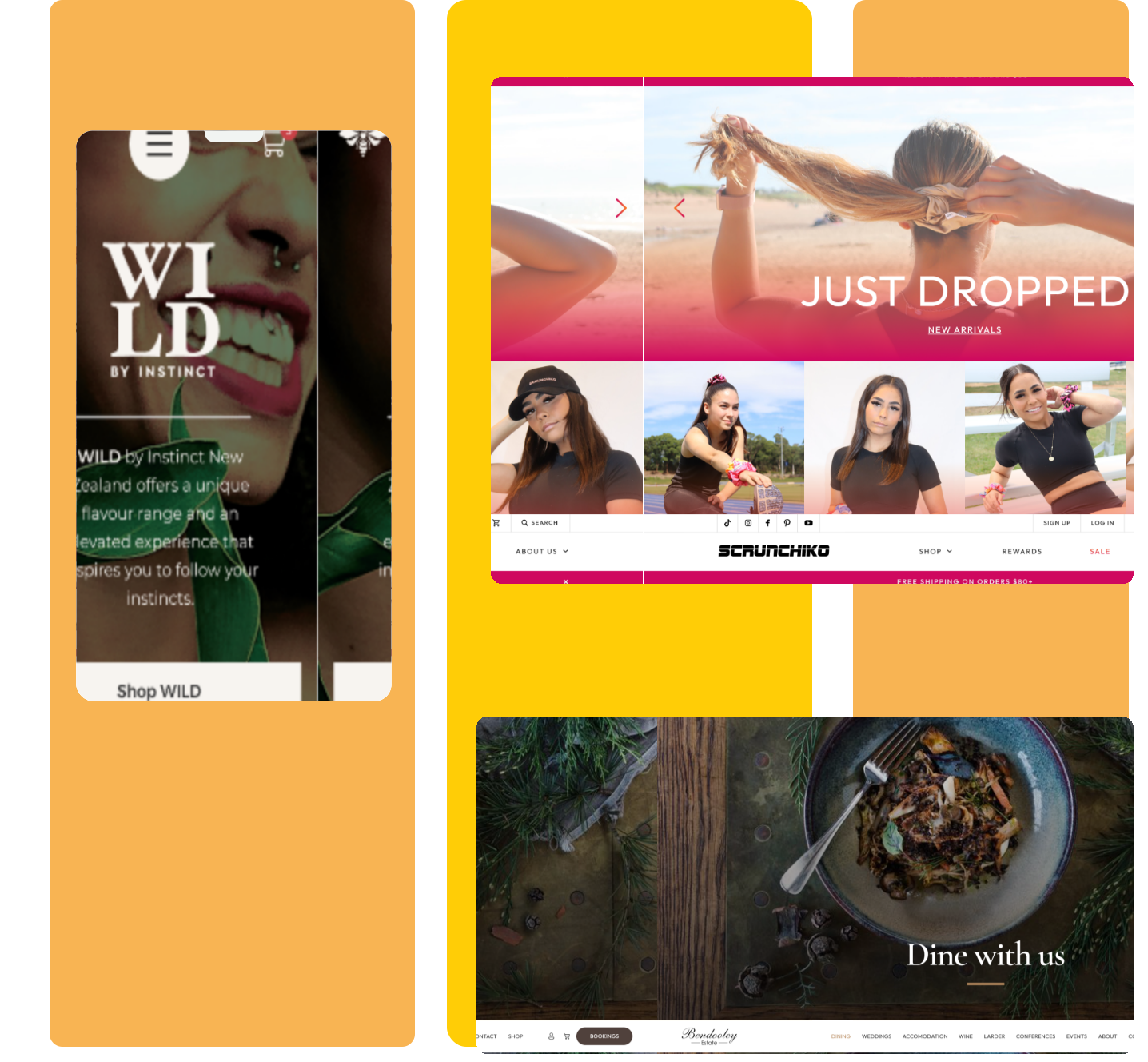
We design digital products in Figma from user research through interaction design, visual design, and design system documentation. Handoffs that contain everything a developer needs. Not beautiful mocks that fall apart in code.
UI design
icons8-laptop-and-phone-1-1-1
900+
Products designed
icons8-illustrator
Figma
Component libraries as standard
icons8-medal-1-4
WCAG 2.1 AA
Accessibility minimum
icon-trophy
#1
Clutch

Design work we deliver

Six types of product design engagement each with a handoff that engineers can build from without losing clarity.
01

Product Design (Web & Mobile)

End-to-end product design user research, information architecture, wireframes, visual design, interactive prototype, and developer handoff. For new products, redesigns, and major feature additions.

02

Design Systems

Figma component libraries and coded component libraries. Design tokens (colour, spacing, typography). Component documentation. Visual consistency at scale and reduced design/dev time features.

03

UX Research & Usability Testing

User interviews, moderated prototype testing, card sorting, tree testing. Research synthesised into specific design recommendations — not reports nobody reads.

04

Mobile App Design (iOS & Android)

Native platform design, Apple HIG and Material Design 3 as foundations. Always with platform-specific component variants. iOS Android feel native, not forced.

05

Design Audit & Redesign

Comprehensive review of an existing product's UX inconsistency, usability problems, accessibility failures, conversion blockers. Prioritised recommendations with effort/impact estimates.

06

Interaction Design & Prototyping

High-fidelity interactive Figma prototypes for user testing, stakeholder presentation, and developer reference. Animations, transitions, and micro-interactions specified clearly.

Who hires us

code

Product teams whose Figma files don't survive contact with engineering

Beautiful mocks that require negotiation to implement. Designs that ignore platform constraints. Handoffs with no states or component specs. Our designers work alongside engineers, they know what can be built in the time available.
icon-UX-Design-Dec-17-2024-05-12-02-4750-AM

Companies with inconsistent UI across a product that's grown organically

Different teams have added different design patterns. Nothing is consistent. A design system audit and rebuild gives you a single source of truth that scales as the product grows.
pencil

Startups that need a designed product before development starts

Strong visual design and UX reduces development tim,. Engineers aren't making UI decisions. It also reduces rework, user testing a prototype is cheaper than user testing a shipped product.
regulatory compliance icon

Enterprise products with accessibility or WCAG compliance requirements

WCAG 2.1 AA compliance is a legal requirement for many Australian government and enterprise products. We design to WCAG from the first wireframe accessibility built in, not audited out after the fact.

Want an honest assessment of your product's UX?

We'll review your existing product identifying inconsistencies, usability problems, and conversion blockers and give you a prioritised redesign plan with effort/impact estimates.

Designers who understand engineering constraints.

Four ways an EB Pearls design engagement produces output that actually gets built as designed.
icon-UX-Design-Dec-17-2024-05-12-02-4750-AM

Designers who understand engineering constraints

Our designers work alongside developers every sprint. They understand achievable complexity, how CSS layout works, what native iOS and Android components can and can't do, and where design debt accumulates. 
icons8-illustrator

Design systems that get used

Many design systems are built and abandoned. Ours are built to be used components that match real development components, tokens that translate to CSS variables, documentation that answers questions developers actually ask.
screening icon

Research when it's needed, not as a default tax

User research is genuinely valuable when the problem is ambiguous. It adds cost when the problem is well-understood. We'll tell you when research is worth doing and what type will answer your specific questions.
icons8-web-accessibility-1

Accessibility is designed in, not audited out

WCAG 2.1 AA compliance built into design from wireframe. Contrast ratios checked with Figma plugins as we design. Focus states specified. Accessibility problems are cheaper to fix in Figma than in code.

Our technology stack

★ marks our preferred production choice.

Design Tools

  • ★ Figma
  • ★ FigJam (workshops)
  • Lottie / Rive (animation)
  • Zeroheight / Storybook (docs)

Design System

  • ★ Figma component + variant system
  • ★ Design tokens (colour, spacing, type)
  • ★ Auto-layout for responsive behaviour
  • ★ Figma Dev Mode (handoff)

UX Research

  • ★ User interviews
  • ★ Moderated usability testing
  • Card sorting
  • Tree testing
  • Hotjar / FullStory (session recording)

Accessibility

  • ★ WCAG 2.1 AA (minimum standard)
  • ★ iOS Human Interface Guidelines
  • ★ Material Design 3
  • ★ Figma contrast plugins

Your project is 100% protected

EB Pearls signs an NDA before any technical discussion. Your code, architecture, and business logic remain entirely yours.

✓ ISO 27001
✓ ISO 9001
✓ NDA First

From kick-off to production

Stage 01

Discovery & Research

User interviews (if scoped), product audit, information architecture review, design principles. Scope and fixed-price quote.

Weeks 1–3

Stage 02

Wireframes & Architecture

Low-fidelity flows, information architecture, component inventory, user journey maps. Signed off before design begins.

Weeks 3-5

Stage 03

Visual Design & System

High-fidelity screens, design system components, interactive prototype. Iterated with stakeholder review.

Weeks 5–10

Stage 04

Handoff & Documentation

Figma Dev Mode handoff, component documentation, edge case specifications, design QA support during development.

Final 2 weeks

How to work with us

Fixed-Price Design Project

Full product design, feature design, or design system build. Defined scope, deliverables, and timeline.
AUD $8,000–$80,000+

Design Retainer

Ongoing design support, new feature design, design system maintenance, usability testing, and dev QA.
AUD $6,000–$15,000/month

Design Audit

Existing product review — inconsistencies, usability problems, accessibility, conversion blockers. Prioritised findings.
From AUD $4,500

Every question answered.

Can't find what you need?

UX is how a product works — user research, flows, wireframes, information architecture. UI is how it looks — visual design, colour, typography, components. Most product work requires both, and separating them without coordinating between them produces poor results.

Feature or landing page: AUD $8,000–$25,000. Full product design: $25,000–$80,000. Design system: $30,000–$80,000. Design retainer: $6,000–$15,000 per month.

Figma. All components built with Figma's component system. Design tokens defined consistently. Developers get accurate specs via Figma Dev Mode — no lost-in-translation handoffs, no separate Zeplin export.

Figma Dev Mode provides accurate component specs, design tokens, and CSS values. We also produce component documentation covering states, interactions, and edge cases. Developers do not need to reverse-engineer designs or ask 'how does this behave when...'

Comprehensive review of an existing product's UX — inconsistency identification, usability problems, accessibility failures, conversion blockers. Prioritised recommendations with effort/impact estimates. We produce specific, actionable findings — not generic best practice lists.

Feature design: 2–4 weeks. Full product design with research: 6–12 weeks. Design system: 6–10 weeks. The biggest variable is the scope of user research and the number of distinct user flows.

A library of reusable UI components with defined visual styles, spacing, and typography. Ensures consistency, reduces design and dev time for new features, and creates a shared language between designers and engineers. We build design systems that get used — not ones that get built and abandoned.

Yes — when the problem is ambiguous or you're designing for users you don't represent. User interviews, usability testing, card sorting, tree testing. Research synthesised into specific design decisions, not into a discovery report nobody reads.

WCAG 2.1 AA minimum. Contrast ratios checked during design with Figma plugins. Touch targets 44px minimum. Focus states specified. Screen reader order considered in layout. Accessibility built in, not audited out — significantly cheaper to fix in Figma than in code.

Yes — native platform design with Apple Human Interface Guidelines and Material Design 3 as foundations. Always designed with platform-specific component variants. iOS and Android feel like native apps on their respective platforms, not like a single design forced onto both.

Both. We build the Figma component library (with variants, auto-layout, and tokens) and the coded component library (in React with Tailwind or CSS Modules). The Figma file and the code are kept in sync — designers and developers work from the same source of truth.

Yes — design retainers cover new feature design, design system maintenance, usability testing on live product, and design QA review of development implementations. Most products benefit from ongoing design support rather than a one-off engagement.
1 Your Information
2 Book Meeting
3 Confirmation

Design products that engineers can build.

45 minutes. We'll review your current product or design brief, assess the gaps, and give you a clear view of what strong product design delivers for your development velocity and user satisfaction.
Contact EB Pearls
What to expect on your call

What to expect

  1. 1 Share a few details
    Complete the form with your contact details and what you need help with.
  2. 2 Book your free discovery call
    Once you submit the form, choose a time that suits you for your discovery call.
  3. 3 Privacy comes first
    Sign an optional NDA to ensure the highest privacy level and protection of your idea.
  4. 4 Discovery call
    We’ll discuss your goals, the support you need and answer your questions. If we’re a good fit, we’ll outline the next steps.

What to expect

  1. 1 Share a few details
    Complete the form with your contact details and what you need help with.
  2. 2 Book your free discovery call
    Once you submit the form, choose a time that suits you for your discovery call.
  3. 3 Privacy comes first
    Sign an optional NDA to ensure the highest privacy level and protection of your idea.
  4. 4 Discovery call
    We’ll discuss your goals, the support you need and answer your questions. If we’re a good fit, we’ll outline the next steps.